
 A module of Otter
From your inbox to done. Turn an email into a task in a keystroke, and work through today's list without leaving your mail. Your tasks stay in Todoist, where they already live.
Download for Mac and Linux Open in your browser
Todoist
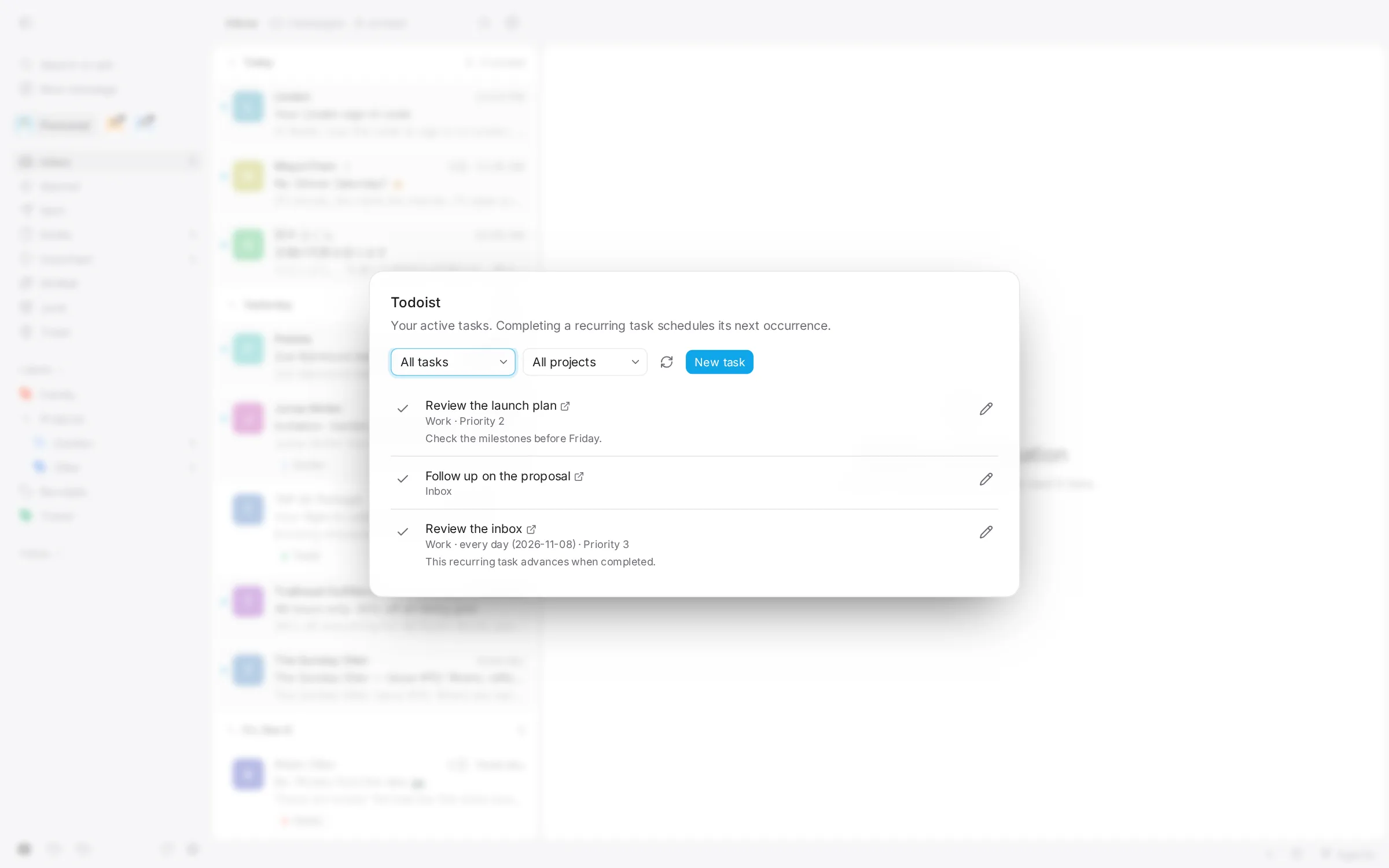
An email becomes a task
From the reader's toolbar or any message's menu: title, notes, project, a due date in your own words, priority.
Always one click back
Every task keeps a link to its email, so the context is there when you get to it, in Otter or in Todoist.
Today, and what's next
Today and overdue, the next seven days, search and your Todoist filters, with labels, sections and assignees.
Done, without switching
Complete, edit, reschedule and move tasks in place. Recurring ones advance to their next time.
Reminders
Add or remove timed reminders from a task, delivered by Todoist where you get them.
In ⌘K
Browse your tasks or start a new one from the command palette, wherever you are.
Connected safely
Sign in to Todoist in the browser, or use an API token. Your credentials stay on your device.
On the Mac and the web
The same Tasks in the Mac and Linux app and in your browser.
Tasks runs on the Todoist plugin.
Turn it on in Settings, connect your Todoist account, and Tasks is in your mail. More connectors are on the way.
Plugins For Tasks
- Todoist
Connectors Your tasks
- Todoist
- More · soon