
Gmail, Outlook and IMAP from a local cache, made for the keyboard. Instant, offline, and live on every device.
 Otter Mail is now Otter
Download for Mac and Linux Open in your browser
GmailOutlookIMAPGoogle CalendarTodoistOtter DriveClaude CodeCodexOpenClawHermes
Otter is made of modules. Plugins bring their features and connect your accounts, and your agents work across every one of them, with the same tools you use.
Mail Calendar
 Drive
 Tasks
 Code · soon
Not a feature list stapled to an inbox: every module is built to be used all day, and soon you'll choose which ones your Otter runs.
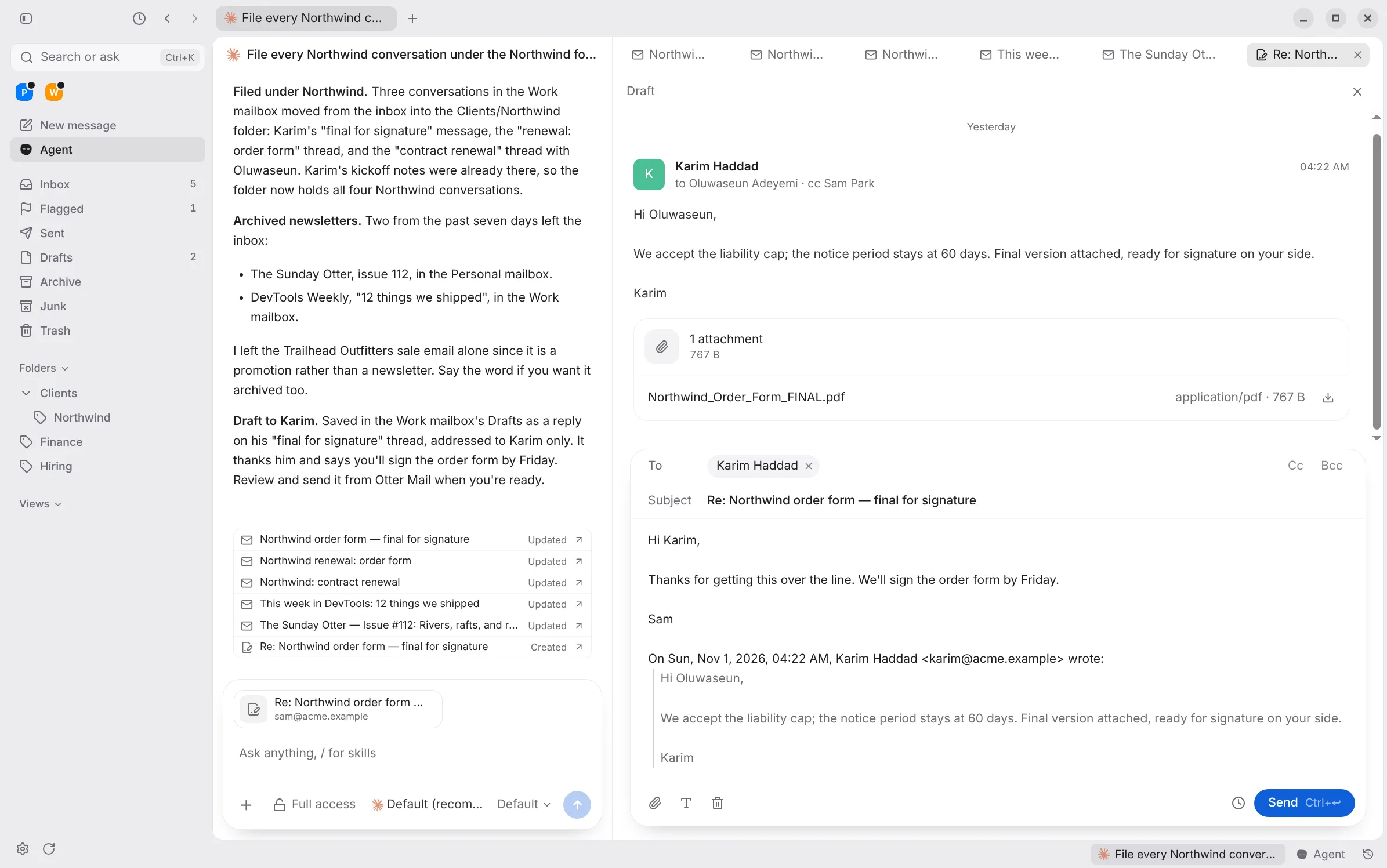
Gmail, Outlook and IMAP from a local cache, made for the keyboard. Instant, offline, and live on every device.
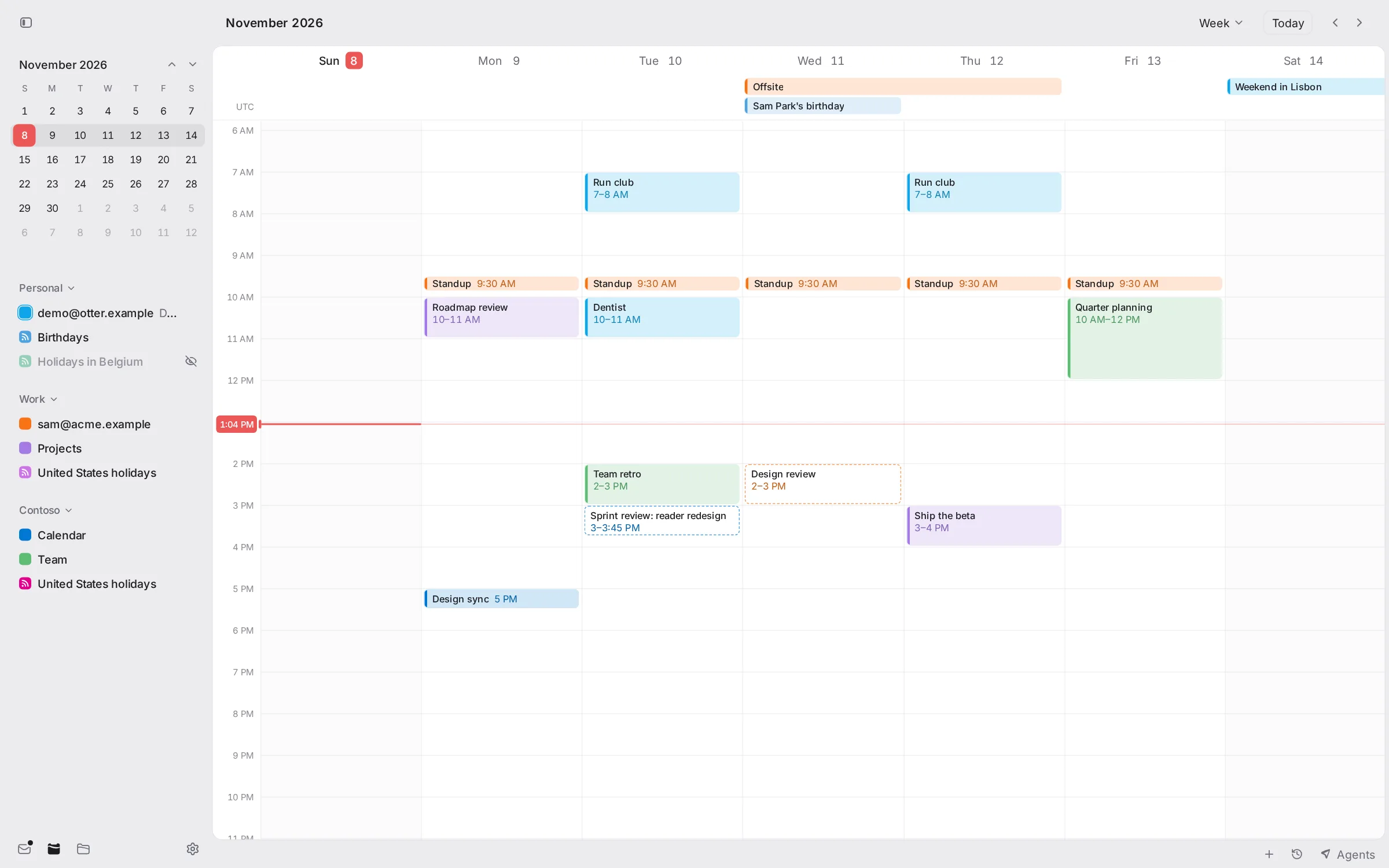
Every Google and Outlook calendar in one week, with meetings you join, move and answer in place.
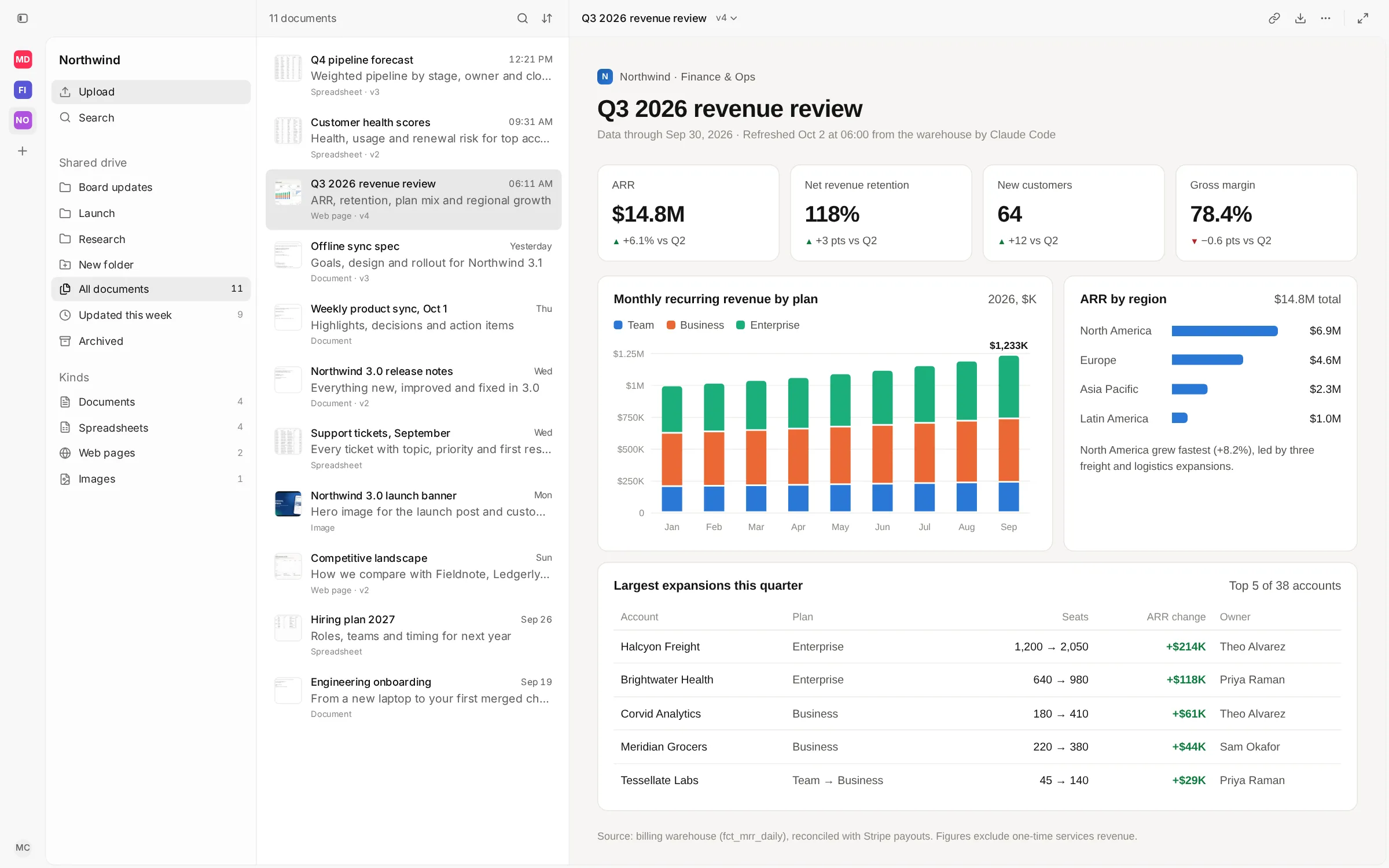
Versioned documents for people and agents. A module in Otter, and a drive of its own at drive.otterware.app.
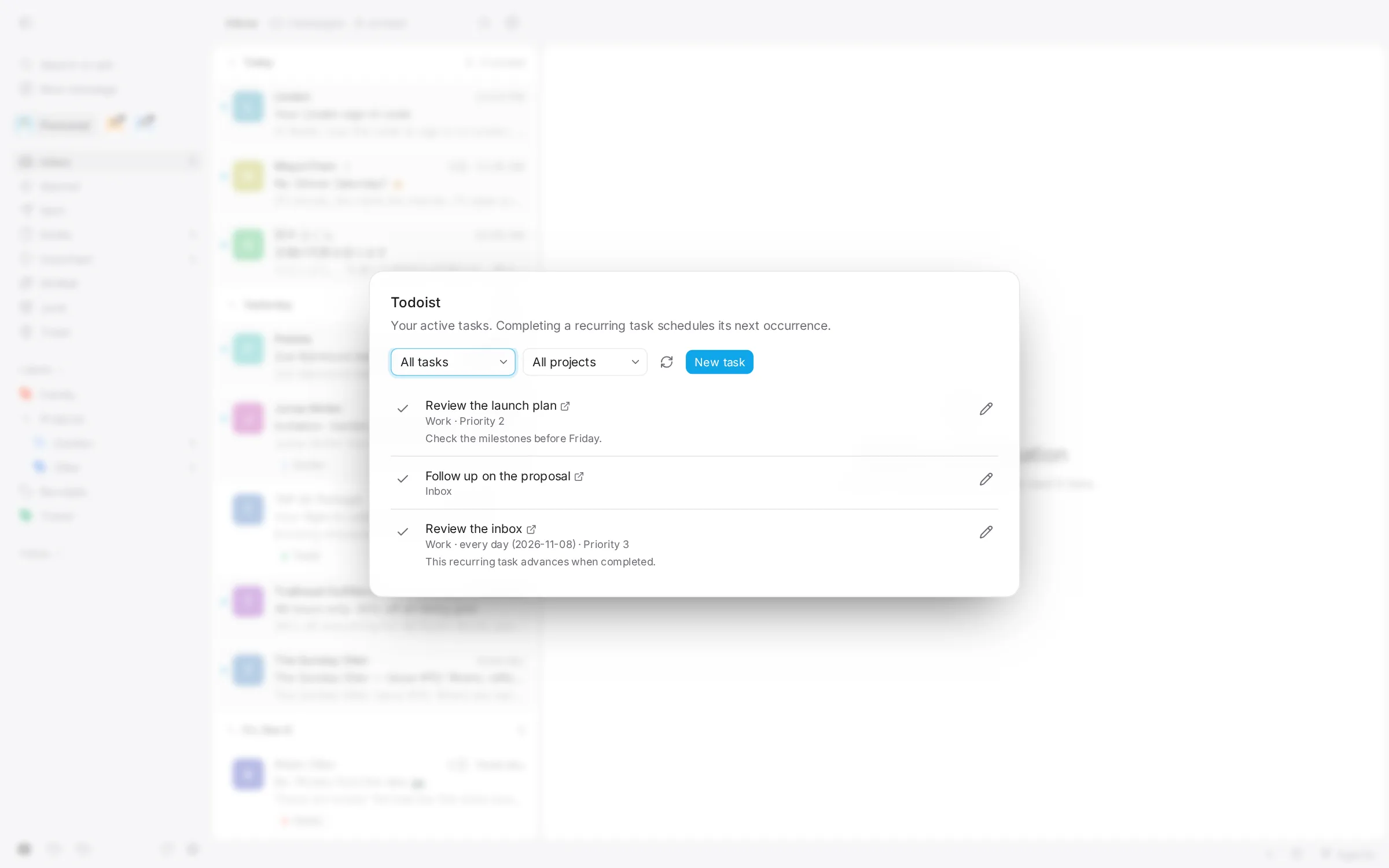
Turn an email into a task in a keystroke, and work through today's list without leaving your mail. With Todoist.
Code: your coding agents, from
any device. Soon.
Add and remove modules as you need them. Soon.
Otter isn't one more AI. It's the place you see your agents, answer them and hand them work, with your mail, your calendar and your files right there.
Claude Code and Codex on your Mac, OpenClaw and Hermes on your own gateway. Otter connects to them; it doesn't replace them.
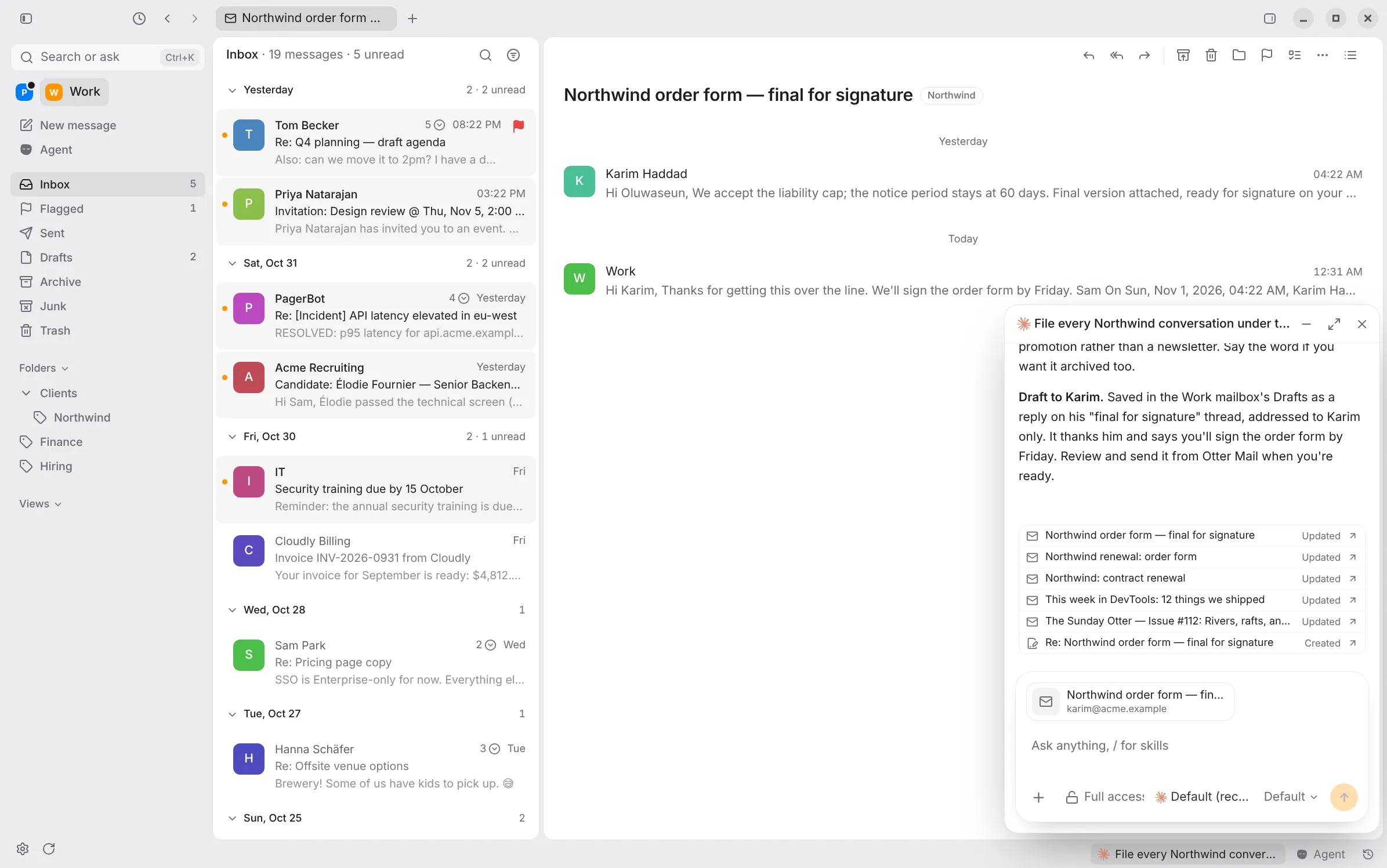
⌘I opens a chat over the mail in front of you, and that mail is its context. Tabs keep what it read and made beside the chat. No copying, no pasting.
Supervised by default: your agent asks before it sends, deletes or changes a mailbox, and shows you exactly what it will do.
Search, read, file and draft mail; add and answer events; publish documents to Otter Drive. Plugins bring their own tools, so agents grow with your Otter.
Cursor, a terminal's Claude Code, anything that speaks MCP gets Otter's tools with a token, read only, safe or full access.
Every chat, whatever agent ran it, reads the same on every device. OpenClaw and Hermes chats carry on from any of them; Claude Code and Codex on their Mac.
Your agents work while you don't: a morning brief, an inbox sweep at noon, Friday's report. Scheduled is where all of it lands, each run in its own chat, named for the job and the day, with a notification when it's in.
It already works with OpenClaw's Otter channel. A Scheduled view in Agents brings every run, from every agent, into one place.
 Scheduled · Morning
brief
Scheduled · Inbox
sweep
Sent by Rowan
Sign in once with your Otter account, and your mailboxes, preferences and chats are on every device.
Apple Silicon, with the Dock badge, on-device translation and a browser beside your mail.
Download →Otter Mail for iPhone: your mailboxes and your agents, native, on TestFlight.
Join TestFlight →Otter reads your mail and calendars straight from Gmail, Outlook or your IMAP server, on your device, and keeps its cache there. Your agents run on your own accounts and gateways. An Otter account syncs your mailboxes and preferences, keeps your agents and chats on our server so every device shows the same ones, and wakes your devices when mail arrives. No analytics, no tracking. Details are in the privacy policy, and the code is open source under the MIT license.